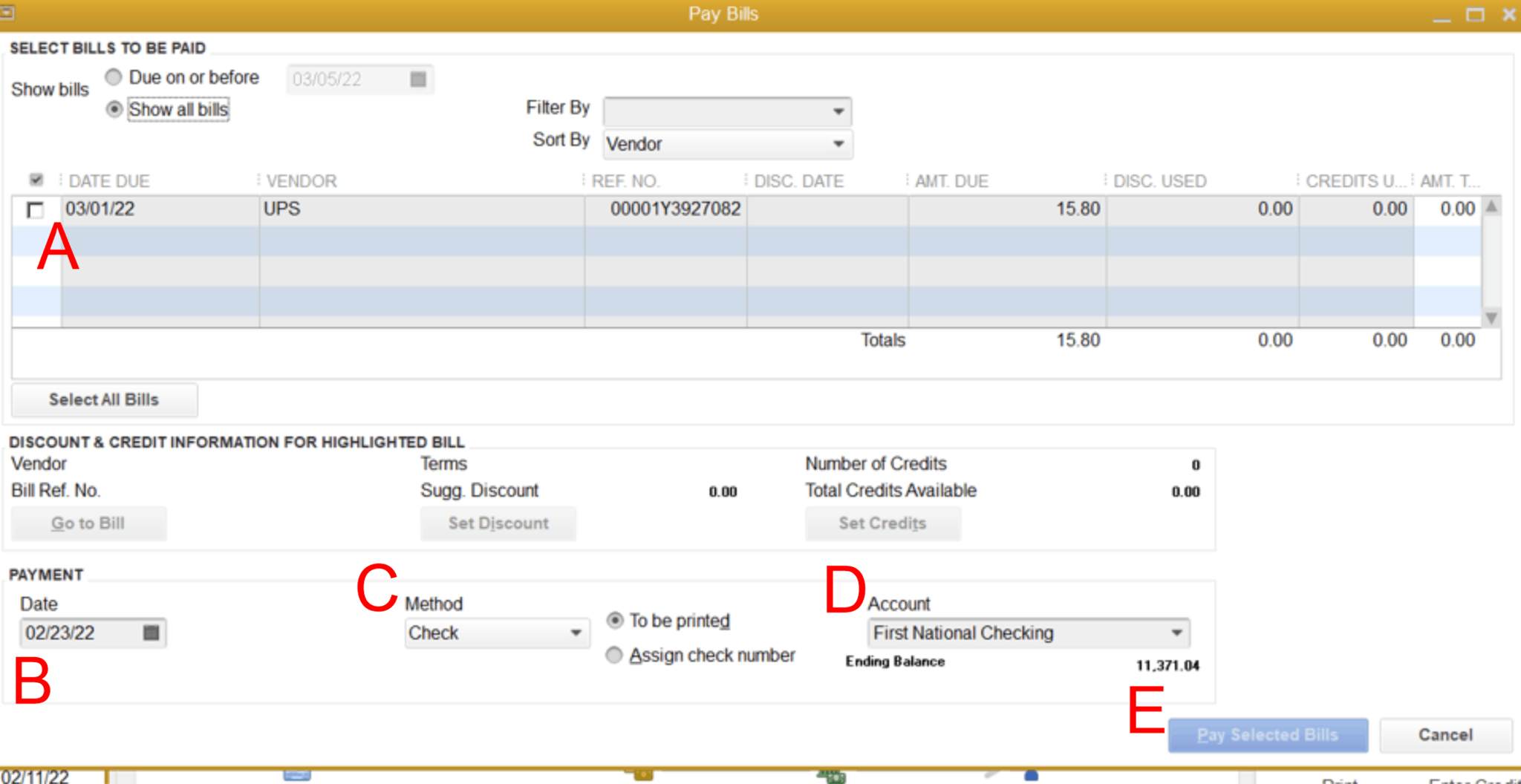
Click Pay Bills on QB homescreen
A - Check box on bill(s) to pay
B - Enter Today's date
C - Method (to be printed or assign check number for hand-written checks)
D - Account (First National Checking)
E - Click Pay Selected Bill
Print check(s)
Check goes into printer face down with the top of check in first