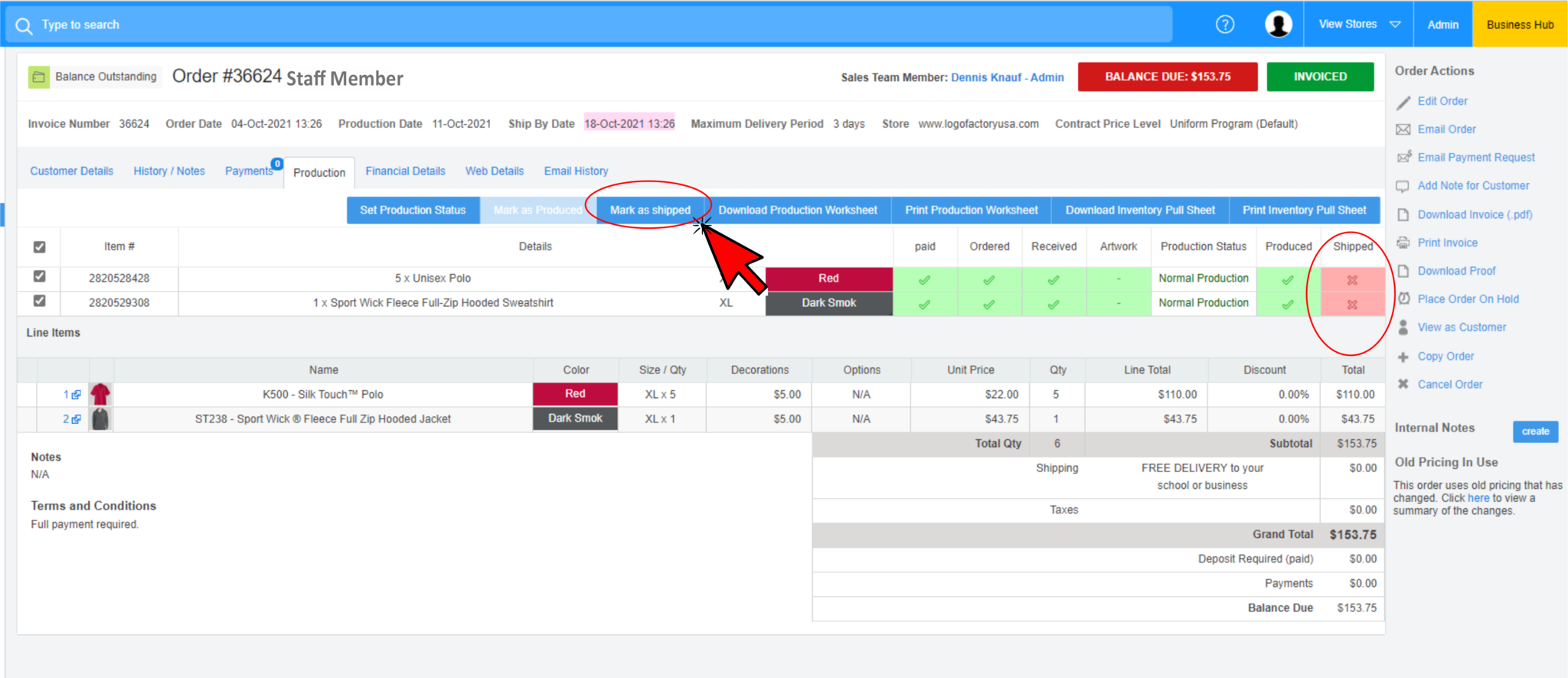
Invoicing proceedures for Y115 Staff orders
STEP 1:
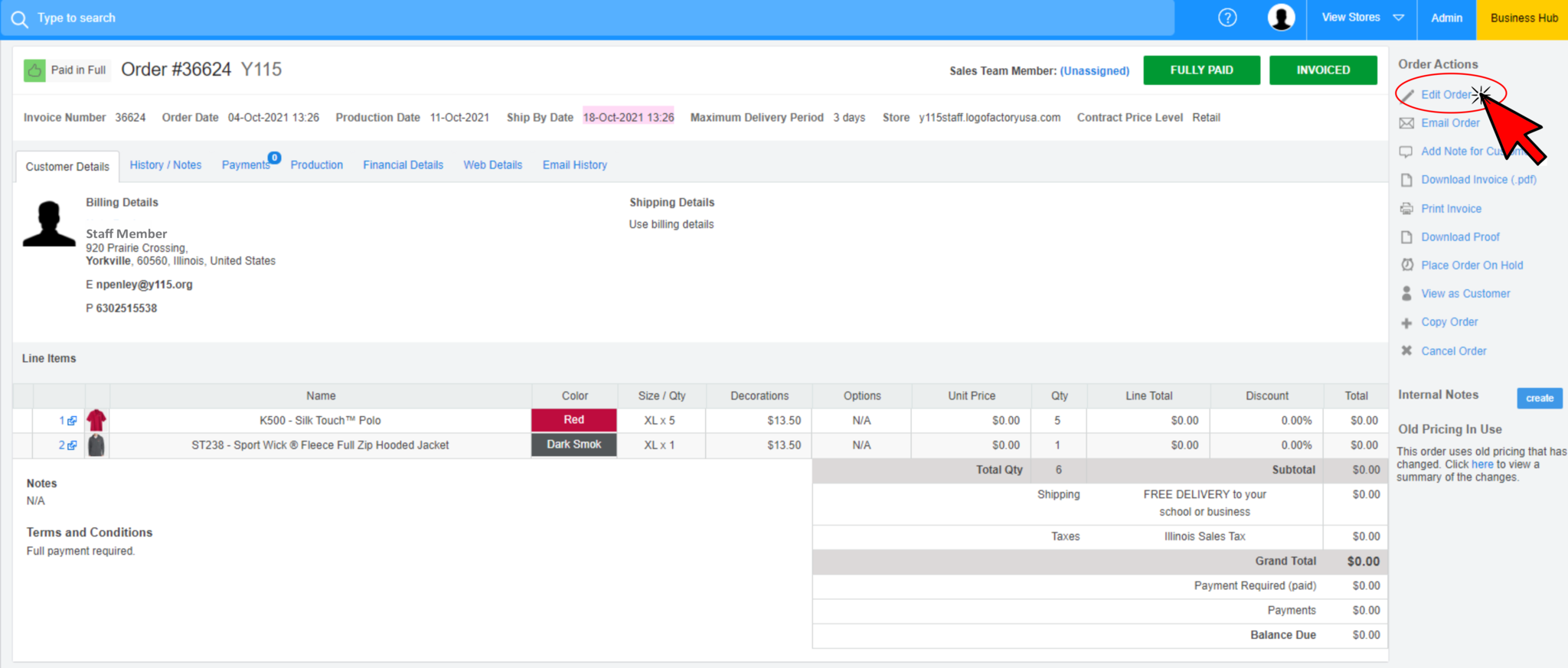
Find the completed order to be shipped and click 'Edit Order"
STEP 2:
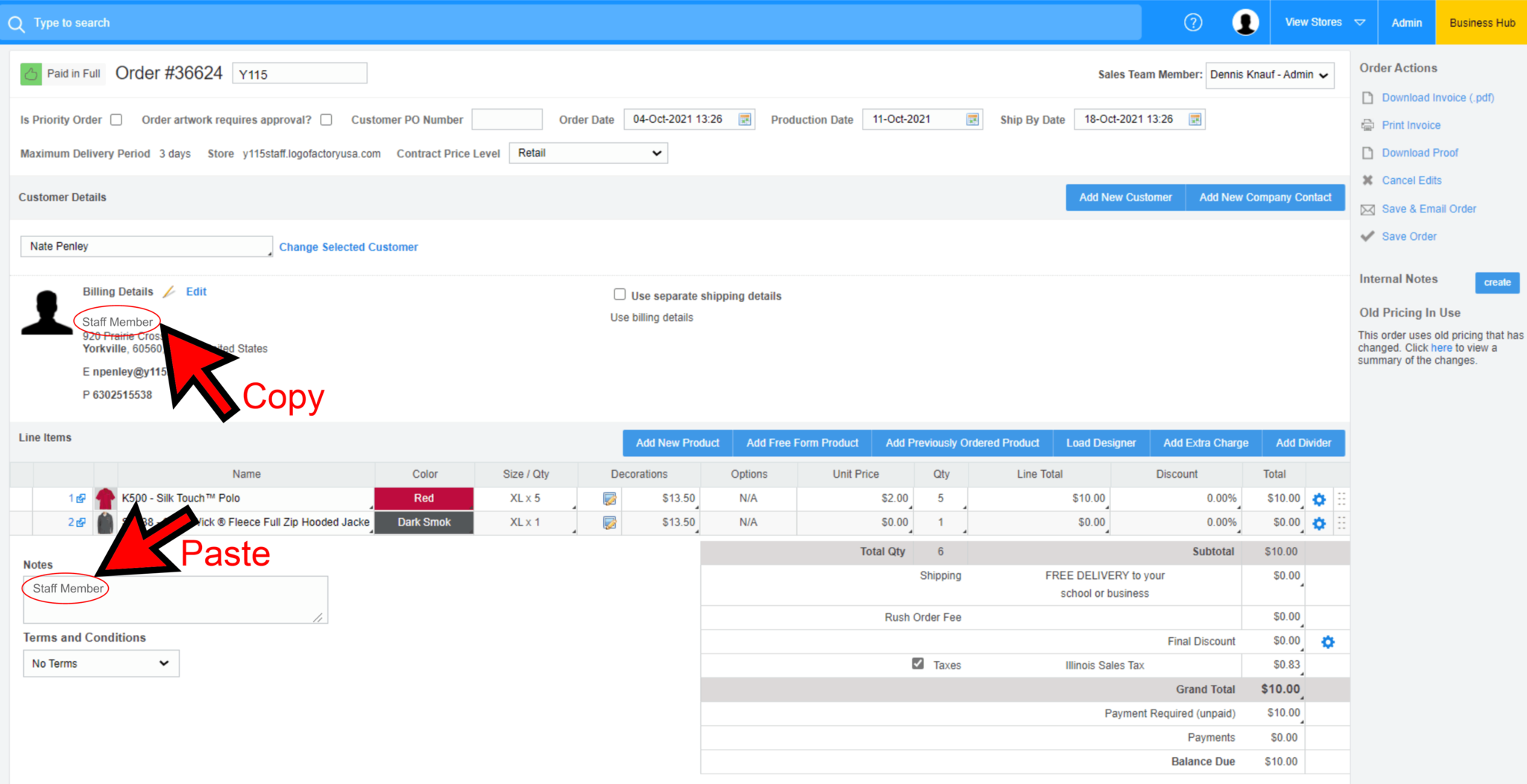
Copy the Staff Members name on the order
Paste it in the Notes field at the lower left of the screen
STEP 3:
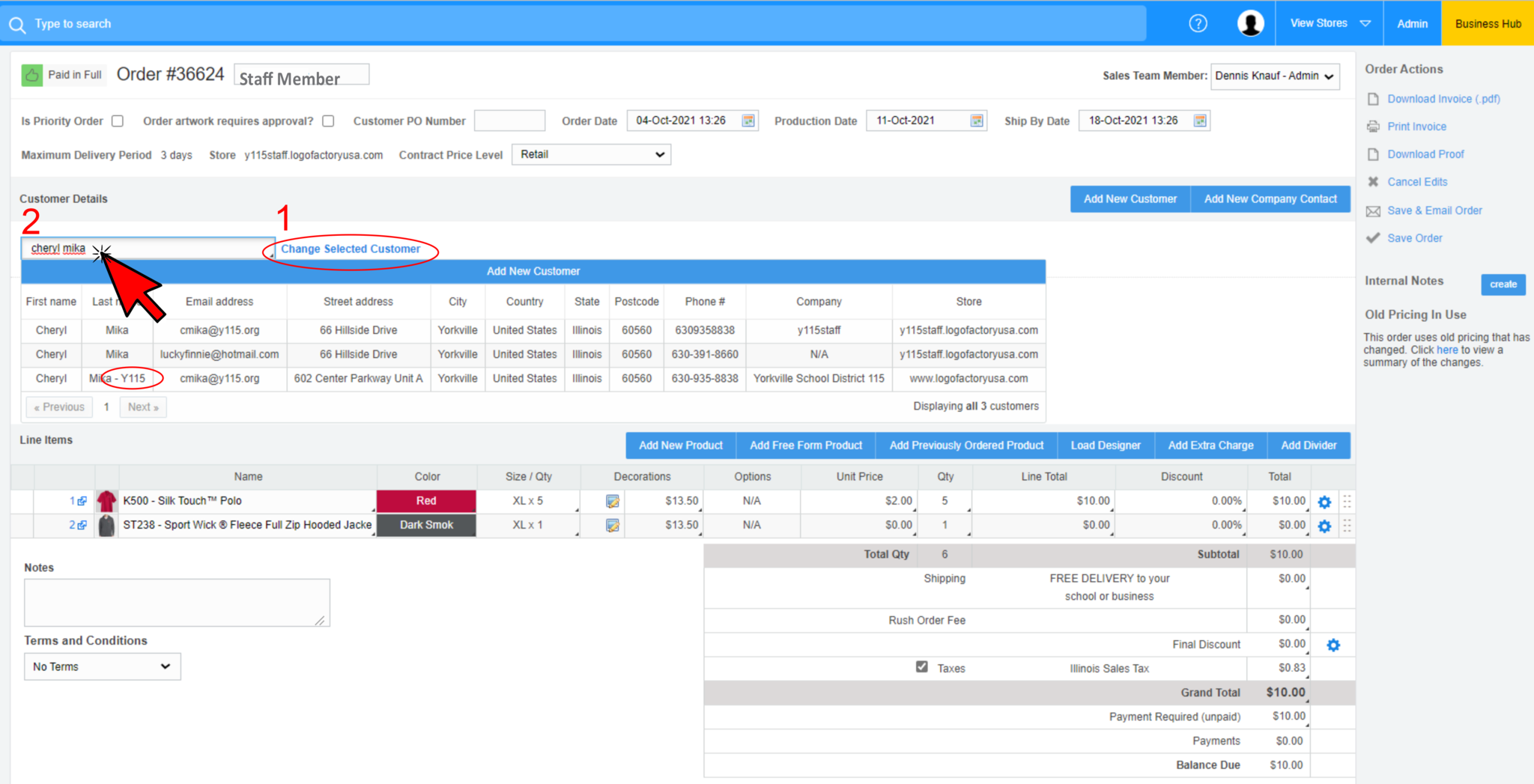
'Change Selected Customer' to Cheryl Mika - Y115 (the contact for Y115 Staff)
STEP 4:
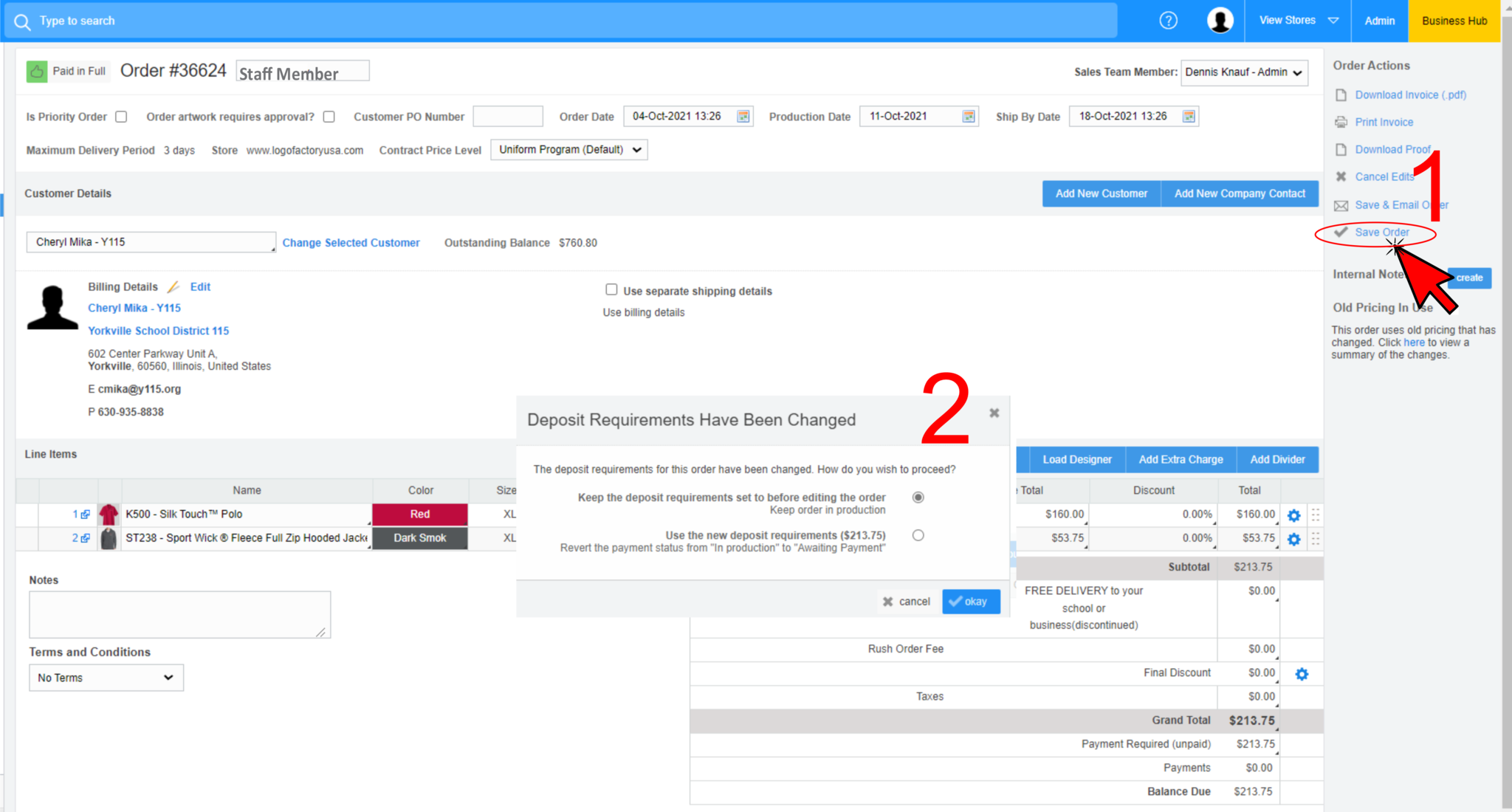
1) 'Save Order'
2) Keep deposit requirements in production...
STEP 5:
Review the order:
1) Staff Member indicated in the Notes field
2) The Y115 Staff contact is the selected Customer
3) Pricing has been changed to $5 per embroidered item
STEP 6:
If the order has not beed 'Produced' then 'Mark as Produced' and do the same process for 'Shipped'